Why Mailchimp Stops Working When Your SaaS Starts Growing

Abdullah
April 1, 2026 • 6 min read
Mailchimp is a great starting point — until your SaaS outgrows newsletters. Here's where it breaks, what it costs you, and when to make the switch.

The Moment Everything Clicks — and Then Doesn’t
You remember the day you set up Mailchimp. You picked a template, imported your first hundred contacts, hit send, and watched the opens roll in. It felt like magic. Your SaaS had an email channel, and it only took twenty minutes.
That was three months ago. Now you have 2,000 users, half of them on a free trial, and you’re staring at a dashboard that can tell you who opened your last newsletter — but not who’s about to churn. You’ve built three Zapier automations to work around things Mailchimp can’t do natively. Your monthly bill just jumped because Mailchimp counted 400 unsubscribed contacts toward your plan. And somewhere in the back of your mind, you’re wondering: is this the Automation Wall?
Mailchimp’s Ecosystem Is Genuinely Impressive
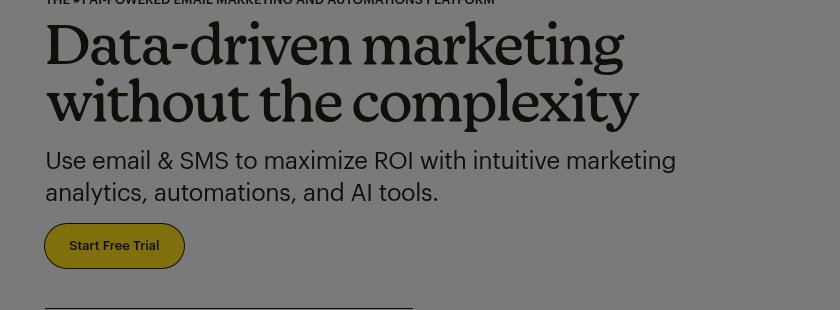
Let’s be fair: Mailchimp earned its place. With over 300 integrations, a drag-and-drop email builder that actually works, and brand recognition that makes “I’ll Mailchimp it” a verb, it’s the default choice for a reason. The template library is massive. The lead capture forms are solid. And for a pure newsletter operation — weekly updates, product announcements, seasonal campaigns — it does the job reliably.
The onboarding experience is smooth. You can go from zero to first email in under an hour, and the free tier (now limited to 250 contacts and 500 emails) gives you enough rope to test the waters. If you’re pre-launch and just need to send updates to your beta list, Mailchimp is a perfectly reasonable starting point. The AI-powered subject line suggestions and send-time optimization on paid plans are genuinely useful features that smaller tools haven’t matched.
But Mailchimp Doesn’t Know What a Churning User Looks Like
Here’s where the story changes. You’re running a SaaS product, not a newsletter. Your users don’t just “subscribe” — they sign up, onboard, hit an activation moment, use your product daily (or don’t), upgrade (or don’t), and eventually leave (or stay). Mailchimp sees exactly one of those stages: the subscription.

Scenario 1: The silent trial user. A user signs up for your free trial but hasn’t logged in for five days. In a purpose-built SaaS tool, this triggers a re-engagement sequence automatically. In Mailchimp? You’d need to export your app’s activity data via Zapier, create a segment based on a custom merge field you manually update, and build a separate automation for it. Most founders never get this far. The trial expires. The user is gone. You find out three weeks later when you check your metrics.
Scenario 2: The upgrade window. A user just hit their usage limit on your free plan — they’ve created 10 projects, sent 50 messages, whatever your Core Action is. This is the perfect moment to nudge them toward a paid plan. But Mailchimp doesn’t track in-app behavior. It doesn’t know what a “core action” is. You’d need to pipe this event through Zapier, tag the contact, and hope your automation catches it before the moment passes. By the time the email sends, the user has already found a workaround — or a competitor.
Scenario 3: The revenue disconnect. A paying user downgrades from Pro to Basic. In your Stripe dashboard, this is a clear signal. In Mailchimp? It’s invisible. There’s no native Stripe integration that updates user segments in real-time. You’re operating on a churn timeline you can’t see, with a tool that can’t detect the signals.
The Price You’re Already Paying
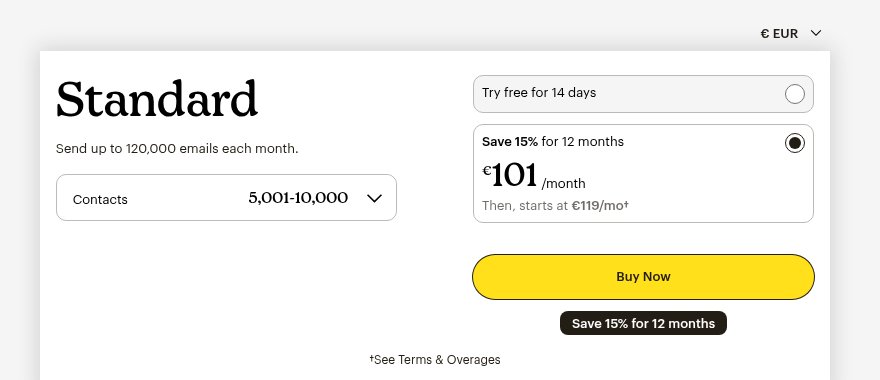
The subscription cost is the least of it. Mailchimp’s Essentials plan starts at $13/month for 500 contacts, and the Standard plan — where the useful automation features live — starts at $20/month. By the time you hit 5,000 contacts, you’re paying $75-100/month. And with the April 2026 price increase (11-13% for legacy users), costs keep climbing.
But the real cost is what you’re losing while you wait:
Hidden Cost | What It Looks Like | What It Costs You |
|---|---|---|
Time | 3-5 hours/week managing Zapier workarounds, manual segments, contact cleanup | Hours you could spend on product |
Revenue | Trial users who churned because no one followed up; upsells that were never triggered | 10-30% of potential MRR, invisible until you measure it |
Contacts you pay for | Mailchimp charges for unsubscribed and bounced contacts unless you manually archive them | Up to 20% of your bill is phantom contacts |
You’re already paying for a better tool. You’re just paying in lost revenue and wasted hours instead of a subscription fee. Every month you stay on a tool that doesn’t understand your signup-to-activation pipeline, you’re compounding the gap between what your product needs and what your email tool can deliver.
Imagine Your Email Tool Already Knew
What if the silent trial user from Scenario 1 didn’t require a Zapier chain? What if your email tool detected inactivity automatically — because it was connected to your app’s signup, core action, and revenue events from day one?
That’s what MailerPath’s 3-Event Setup does. You connect three signals — signup events, core product actions, and revenue events — and the engine understands your entire user lifecycle. No Zapier. No manual segments. No custom merge fields.
The upgrade window from Scenario 2? Auto-Stage Detection recognizes when a user crosses from Active to Power User based on behavior, and the Upgrade Suggestion Workflow fires at the right moment — not on a timer, but when the user’s actions say they’re ready. You can read more about how this works in our guide to automating your first upsell.
The revenue disconnect from Scenario 3? The Health Monitor Dashboard shows MRR movement, churn risk scores, and workflow performance in a single view. When a user downgrades, the system doesn’t just log it — it triggers a re-engagement sequence designed to understand why and offer a path back. And all of this runs on 40+ Ready-Made Workflows that work out of the box — not templates you spend a weekend customizing.
If you’ve seen our email automation tools comparison, you already know the pattern: Mailchimp handles the first chapter of your user’s story. MailerPath handles the whole book.
The Question Isn’t Whether to Switch — It’s When
If you’re pre-launch or under 100 users: Mailchimp’s free tier might still work. You haven’t hit the wall yet, and the simplicity has genuine value when you’re still finding product-market fit. Use this time to build your lead scoring foundations so you’re ready when you outgrow it.
If you’re at 500+ users and growing: The cracks from the scenarios above are costing you real money right now. Every month you wait, the switching cost grows — more contacts to migrate, more workaround automations to untangle, more churned users who could have been saved. The trial conversion window is where most SaaS revenue is won or lost, and Mailchimp can’t see it.
If you’ve already built Zapier workarounds: You’ve proven the need exists. You’ve essentially built a worse version of lifecycle automation with duct tape and $50/month in Zapier fees. MailerPath replaces all of that with purpose-built infrastructure — and your lead nurturing pipeline connects directly to what happens after signup.
See What Changes When Your Tool Understands SaaS
Mailchimp is a great email marketing tool. It was never designed to be a SaaS lifecycle engine. If your product has outgrown newsletters and you’re tired of building workarounds for a tool that doesn’t understand your users’ journey — you don’t have to keep paying the hidden cost.